A spreadsheet for retail. With agents inside.
Category managers and pricing analysts spend their day in spreadsheets. The Retailgrid AI Workspace is the spreadsheet they already know — but with live competitor prices in every cell and AI agents that read, propose, and apply changes in the same view.
One grid. Three things every other tool makes you switch for.
Most pricing tools force you between a dashboard, an analytics workbench, and an execution console. Retailgrid puts all three in the same grid.
The grid that knows it's looking at retail.
Ask the data a question. The agent answers in the same view.
- Natural-language Q&A against the live grid
- Answers cite the SKUs they're talking about — click through to inspect
- Follow-up questions remember the previous turn's context
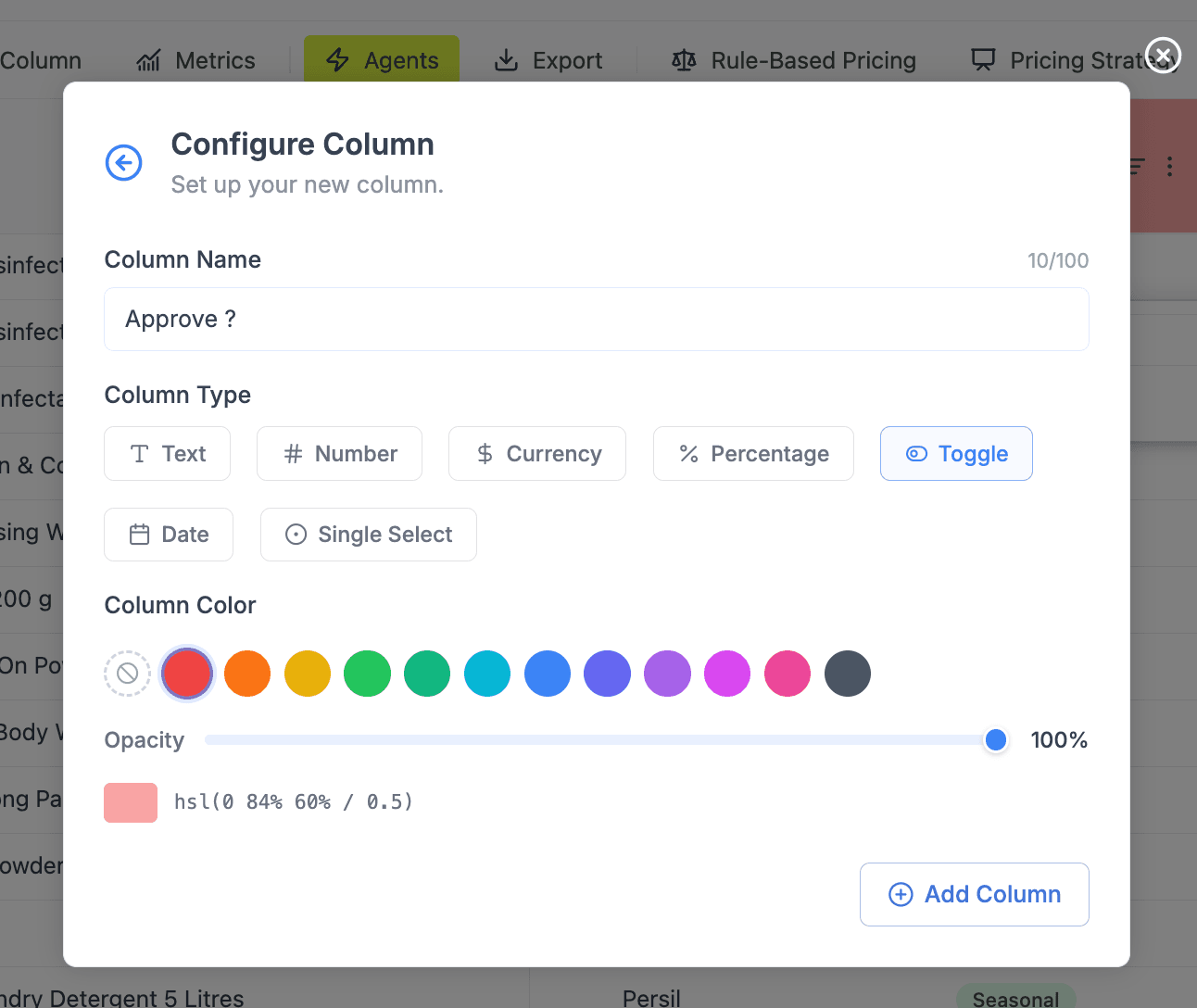
Add the column your team actually needs.
- Eight column types: text, number, currency, percentage, toggle, date, single select, and more
- Add a column once, reference it in formulas and rules across the catalog
- Color-code columns for fast visual scanning by category managers
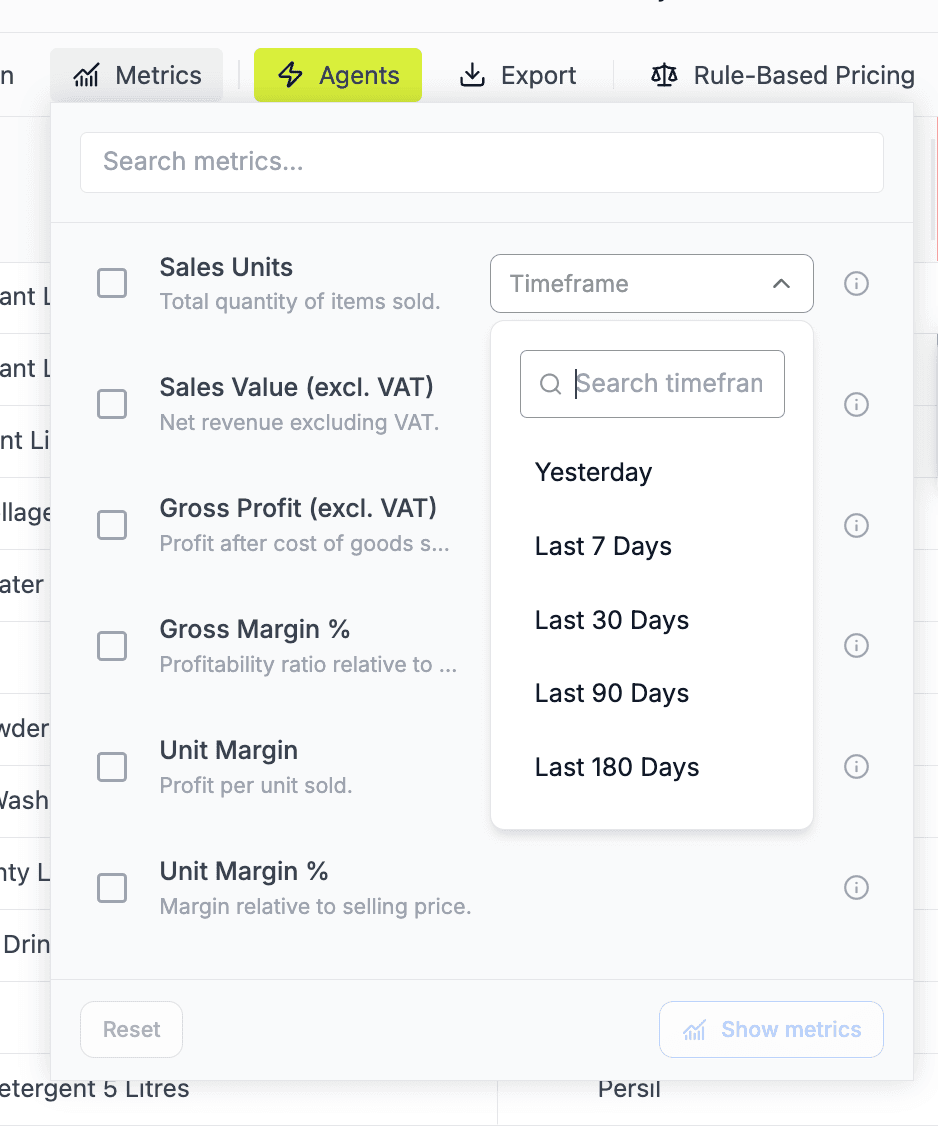
Live competitor prices in every cell.
- Competitor price columns update every 4 hours, auto-mapped to your SKUs
- Sales, inventory, and cost data sync from your store or ERP
- Reference any column in any formula — same syntax as your own data
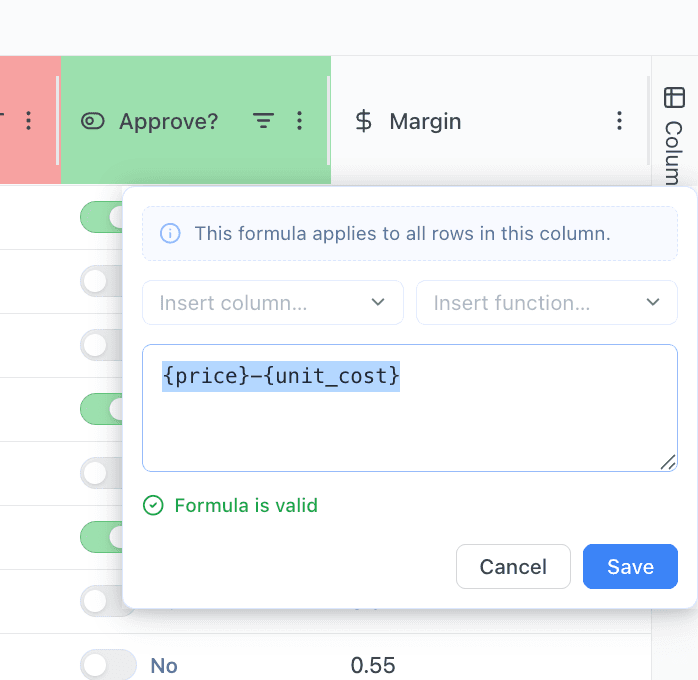
Spreadsheet formulas. On data that's actually live.
- Familiar formula syntax with column references, math operators, and conditionals
- Reference any column - your own data, live competitor feeds, derived metrics
- Live validation - the editor confirms the formula compiles before save
What your category manager does on Monday morning.
From the moment they open the grid to the moment prices are live. No spreadsheet attached.
Open the grid
Their category opens to the SKUs they own, with live competitor prices already in the right columns. Yesterday's filters and pivots are still there.
Ask the AI
Type a question in the sidebar: "Which jackets dropped below 18% margin since last week?" The agent answers against the live grid, with SKUs cited.
Approve and apply
Review the proposed price moves. Approve in bulk or by exception. Prices write back to your store within minutes. Every change is logged.
The grid your category manager already wanted.
Retailgrid is designed by people who have run pricing teams. Every column, every formula, every keyboard shortcut is there because somebody in the role asked for it.